Vehicles Template
Rolls-Royce Cullinan
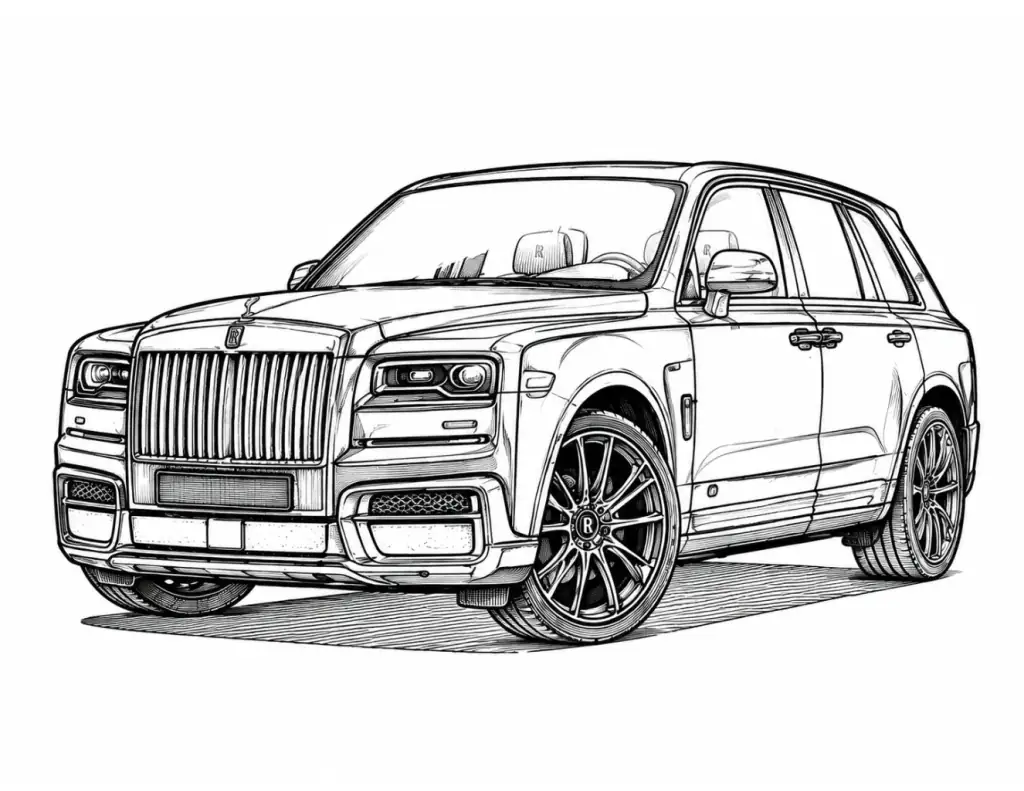
A prestigious Rolls-Royce Cullinan luxury SUV outline template. Includes the classic vertical Pantheon grille, Spirit of Ecstasy lines, and massive custom wheels for digital painting.
AR Drawing Online
How to draw Rolls-Royce Cullinan with AR Drawing
Use this Rolls-Royce Cullinan outline as a guide for a sketch on real paper. AR Drawing shows the reference over your phone camera view, so you can follow the shapes while looking at your paper on screen. The tool opens in your browser without an app download.
Open the template
Tap Start Drawing to preview the Rolls-Royce Cullinan image and continue to the camera tracing tool.
Set up your paper
Place your phone steadily above a sheet of paper, allow camera access, and align the guide with your drawing area.
Trace and finish
Follow the outer outline first, then add the smaller lines. Color your sketch after the tracing is complete.
New to camera tracing? Read about the free AR Drawing app, or browse more drawing templates to find another subject.
Questions about this template
Frequently asked questions
Where should I begin the Rolls-Royce Cullinan drawing?
Start with the outside shape of Rolls-Royce Cullinan. Place its largest parts before tracing smaller features so the whole vehicle fits on your paper.
How can I keep the proportions of Rolls-Royce Cullinan accurate?
Compare the length and height of the main body in the reference. Mark the positions of wheels, wings, or other large parts that are visible before adding fine lines.
Which details should I add last to Rolls-Royce Cullinan?
Finish with the smaller features shown in the image, such as windows, lights, trim, or wheel details. Work from large shapes toward small ones.
Can I color the Rolls-Royce Cullinan outline after tracing it?
Yes. Trace the Rolls-Royce Cullinan outline on paper first, then color your drawing. You can also open an outline in the Coloring Studio for digital coloring.
How do I fit Rolls-Royce Cullinan on the paper with AR Drawing?
Open Rolls-Royce Cullinan with Start Drawing on your phone, allow camera access, and resize the overlay until the whole vehicle fits in the camera view. Keep the largest body shape in frame before tracing details.
Can I make the Rolls-Royce Cullinan AR guide lighter while drawing?
Yes. Lower the overlay opacity to see your pencil lines beneath the vehicle shape, then raise it when checking smaller features in the reference.
More about AR Drawing
What devices work with the AR Drawing web app?
AR Drawing works on any modern smartphone (iOS or Android) with a working camera and a web browser like Chrome or Safari. No special hardware is needed — just your phone, a stand or support cup, and a piece of paper.
How to trace drawings on paper with phone camera?
To trace drawings on paper with your phone camera, visit ardrawing.site, select a template or upload your own image, mount your phone on a glass or transparent stand above your paper, and trace the lines shown on screen. The AR overlay projects the image onto your camera feed so you can precisely follow each line with your pencil.
Keep drawing


